Planning annual report footage around your agency's flagship event
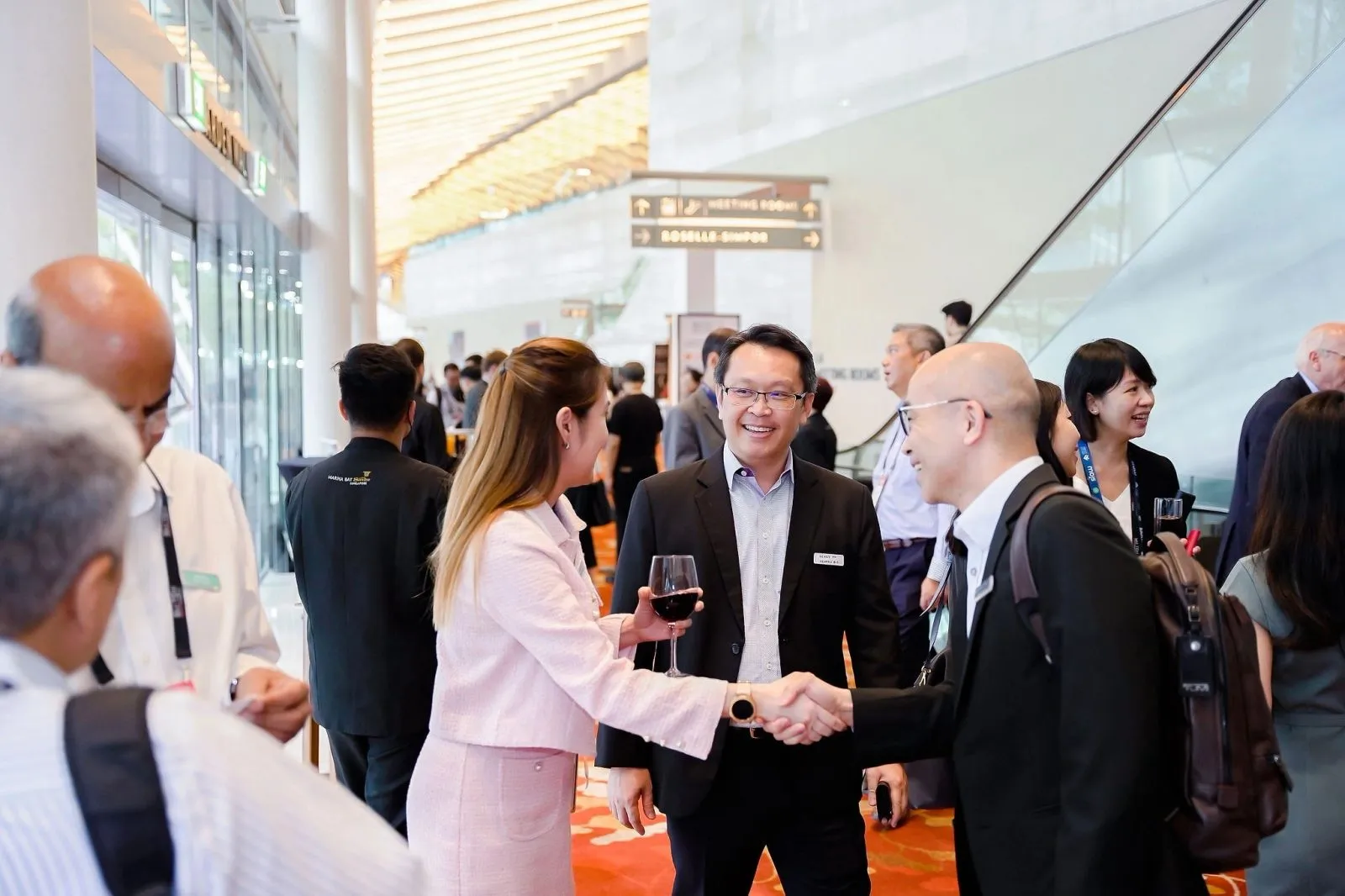
Yes. Photography and videography at a flagship agency event can be briefed specifically for an annual report, with a shot list built around the moments the report design team will need rather than a general highlights reel.
Key takeaways
- Flag the annual report use case when you book, not after the gallery arrives.
- Build a shot list matched to the report's likely sections, not the event's running order.
- One combined photo and video booking covers both formats from a single call sheet.
- Ask for print-ready resolution and both landscape and portrait crops.
- Confirm delivery timing against your report's design and printing deadline, not the event date.
Why annual report footage needs planning before the event, not after
Comms teams often book photography for the flagship event itself and only decide afterward that some of the images should carry the annual report. That order of operations causes problems. A gallery shot for general event coverage is full of crowd shots, candid mingling and wide stage views, which is exactly what a flagship event needs. It rarely includes a clean, uncluttered portrait of the chairman at the podium, a tight shot of a partnership signing with both logos visible, or a milestone moment framed with space around it for a headline to sit over.
Report production usually starts weeks or months after the event, by which point there is no second chance at the shot. If the annual report is even a possibility for this event's footage, say so at the briefing stage. A photographer who knows a shot needs to work as a report cover, not just an event memory, frames it differently from the first frame, leaving room for a headline or pull quote instead of filling the whole frame with the subject.
This matters most for a flagship event because it usually happens once a year and carries the bulk of the visual content an annual report draws on. A missed cover shot or a leadership portrait shot too tight to crop cannot be replaced from a smaller, less significant event later in the year.
Briefing a shot list aimed at report-ready moments
Once report use is flagged, build a shot list against the report's structure rather than the event programme. Useful categories to request:
- A strong cover candidate: a clean, well-lit moment with room around the subject for text
- Section openers matching likely chapters, such as a leadership message, key achievements or community partnerships
- Portrait-orientation shots of leadership for print layouts that run vertically
- Wide context shots that can stretch across a two-page spread without cropping out anything important
This list travels alongside the usual event shot list, not instead of it. See our shot list guide for how to structure a brief your photographer can work from directly on the day.
Combining photography and a short video from the same booking
Booking photography and a short video from the same crew, on the same call sheet, avoids two separate teams working the same room and appearing in each other's frames. It also means one briefing conversation covers both formats instead of two. A short video pulled from the same event coverage works well as a companion piece to a printed or digital annual report, giving readers a two-minute recap alongside the static pages.
This is a straightforward add to a corporate video booking rather than a separate production, provided the report use case is scoped in at the start so the crew films with cutaways and b-roll in mind, not only wide event coverage.
Getting footage in a format the report design team can use
Report designers need different files from what a social media manager needs. Ask specifically for high-resolution stills suitable for print, not just web-sized crops, and request both landscape and portrait orientations of key moments so the layout team has options. For video, ask for clean clips without any on-screen graphics or captions burned in, so an editor can add the report's own titling later rather than working around someone else's.
Put these format requirements in the brief before the shoot, not in a follow-up email after the gallery lands. A crew that knows the final use in advance frames, crops and delivers accordingly, which saves a round of re-requests once the design team opens the files.
Timing delivery against the report production schedule
Match delivery speed to how soon the design team needs the files. EXPRESS 24 puts edited selects in your hands within the hour on site and the full gallery online within 24 hours, which suits a report brief with an early design deadline or a press release running alongside the event. Standard delivery is a full edited gallery within 48 hours, which fits most report production timelines since design work typically continues for weeks after the event.
Galleries stay online for 30 days, so the design team can return to the source files during layout rather than working from a single downloaded batch. Confirm this window against your production schedule when you brief the shoot.
Questions organisers ask
Can event photography be briefed specifically to produce annual report footage?
Yes. Flag the annual report use case when you book so the photographer builds a shot list around report-ready moments such as a cover candidate, section openers and clean leadership portraits, rather than only general event coverage.
Should photo and video be combined for an annual report shoot?
Combining them in one booking with one crew is usually simpler than hiring two teams. It avoids overlapping cameras in each other's shots and means a single briefing covers both the stills for the printed report and a short companion video.
How much lead time should we give before the event to brief report-specific shots?
Share the report's likely structure and any known section headings as early as you have them, ideally when you first book the crew. The earlier the shot list is built around the report, the less likely you are to discover a gap once design begins.
What resolution should we request for print-ready images?
Ask for high-resolution stills suitable for offset print rather than web-sized files, and request both landscape and portrait crops of key moments so the design team has layout options without needing to re-request a shot.
If your flagship event's coverage needs to double as annual report material, say so when you brief it. Our government and community events team can build the shot list around report-ready moments from the start, so the report design team is not left working around a general event gallery months later.
Related reading: Government Event Photography Singapore — GeBIZ-Registered · Corporate Video Production Singapore · Corporate Event Photography Shot List: Free SG Template.
More guides: Briefing an ESG conference for photos that work in a later sustainability report · How to plan an annual corporate event photography budget.
Let's talk
Planning an event in Singapore?
Send us the date, venue and programme. You will get a considered production plan and a fixed nett quote.